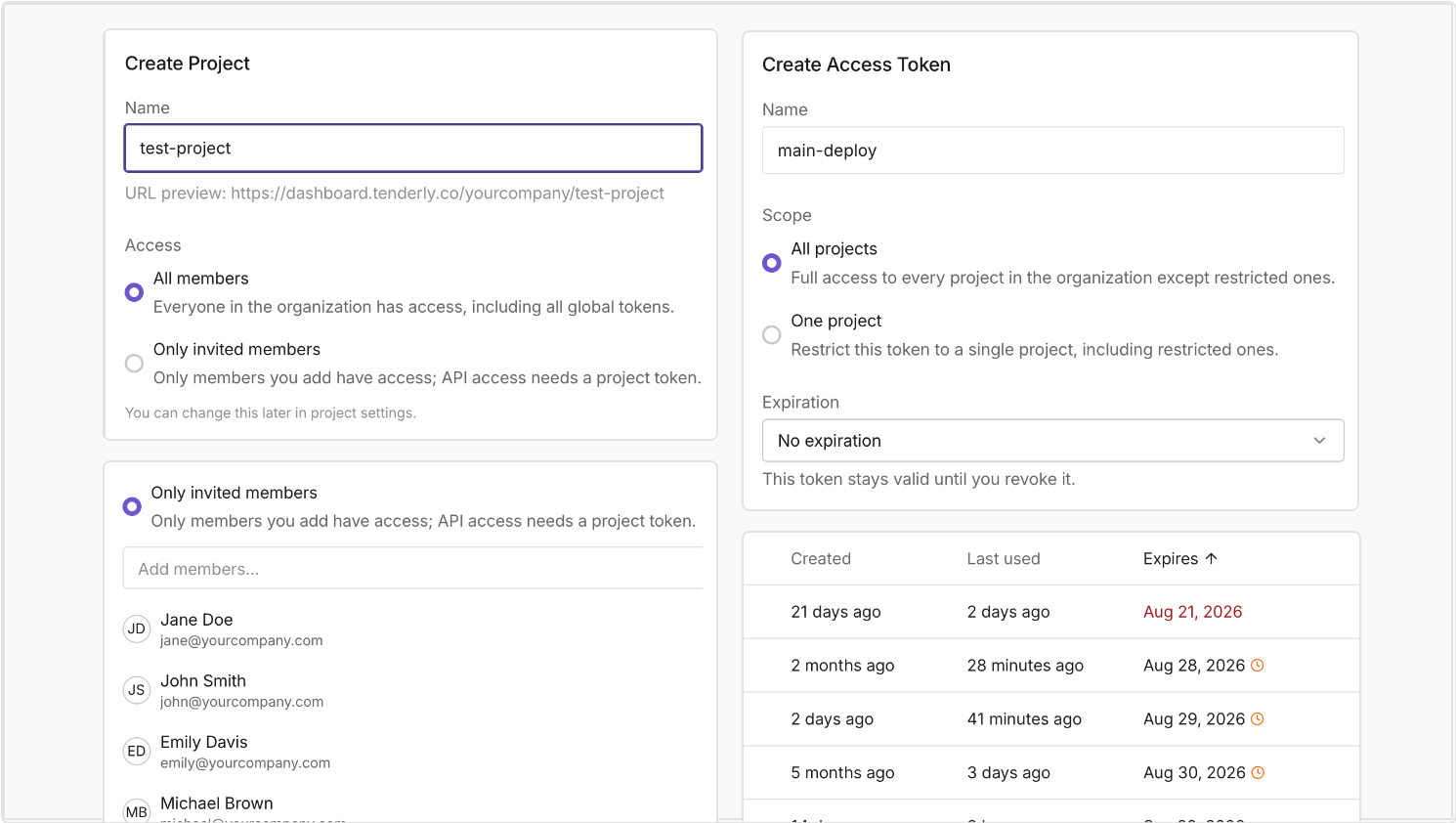
Maintain confidentiality and ensure compliance by configuring access to Tenderly projects. Restrict project access to specific team members, scope access tokens at the project level, and set expiration dates for tokens. This way, you can ensure that sensitive workloads like treasury wallet monitoring or production alerting are accessible only to dedicated team members.
Restrict a project to invited members
Open a project to the entire organization or restrict it to the members you invite. Choose between All members and Only invited members when creating or configuring a project. For restricted access, you can add the individuals who participate in that particular project.
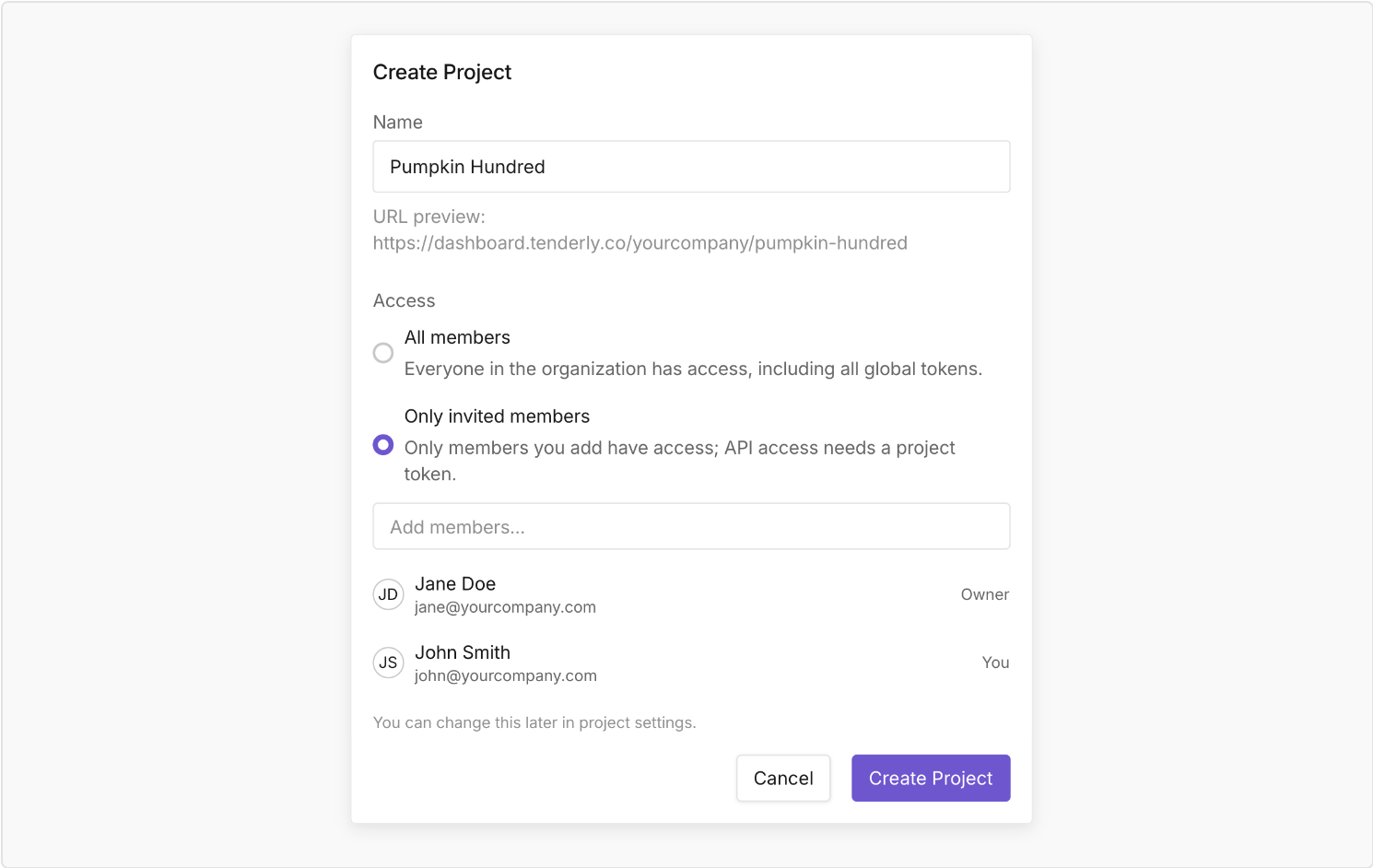
A restricted project is visible only to the specified members. It doesn’t appear in project lists, search, or any other organization-wide views for the team members who don’t have permission for that project, while it’s available to the organization admin and the invited stakeholders.
Control access without affecting permissions
When adding a team member to a specific project, you simply adjust their access. Their permissions remain the same and are defined at the account level.
Anyone with the update project permission can adjust access to a project and manage its members, while organization admins keep access to every project.
Scope access tokens to a single project
Create tokens with scoped project access:
- A global token that works across every project that's open to the organization. These tokens don’t have access to restricted projects.
- A project token that enables access to one specific project. This type of token is the only way to access a restricted project through the API.
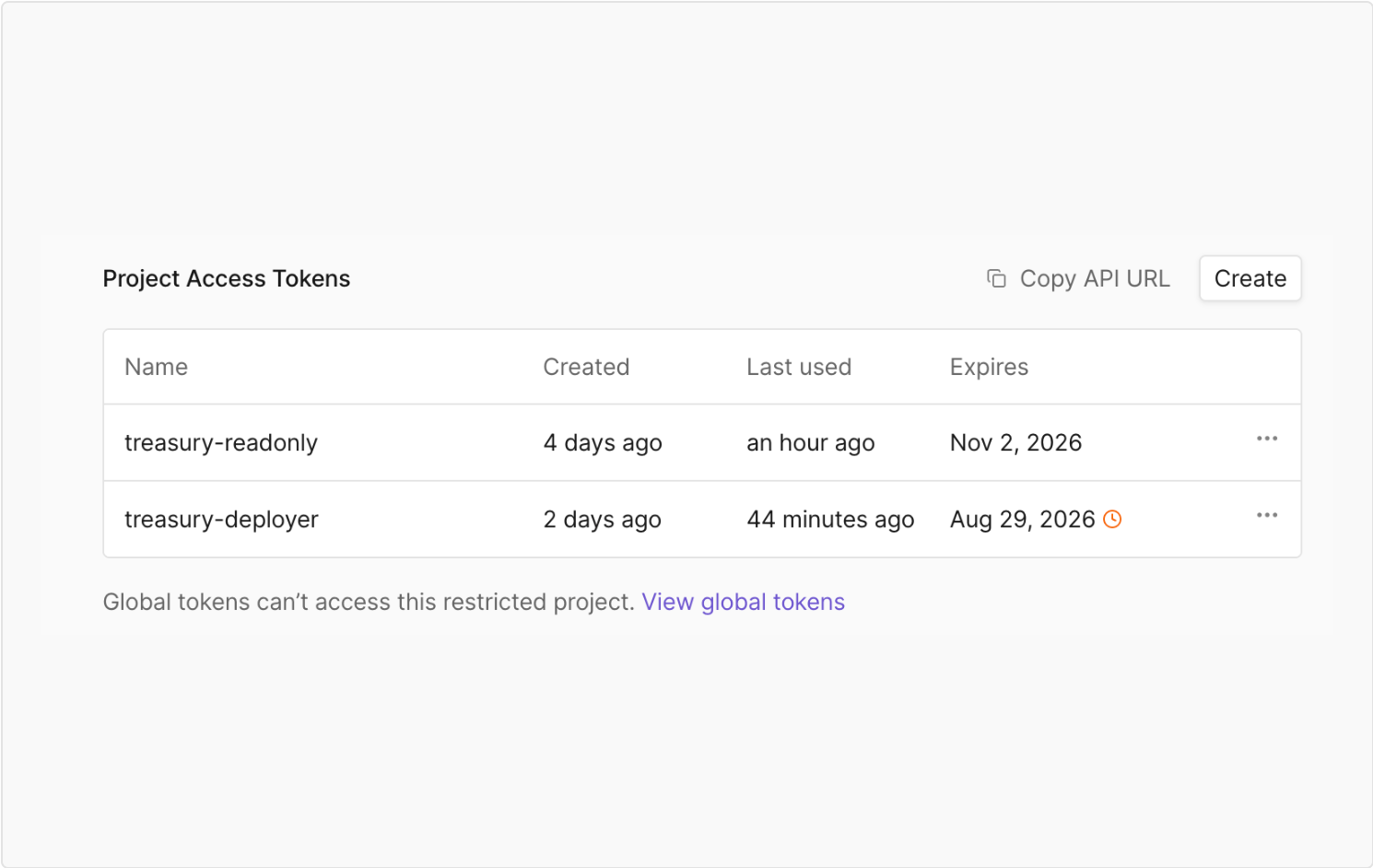
Generate access tokens
Create access tokens from the organization's Access Tokens page or directly inside a project, where the scope is already defined. Upon token creation, the project picker doesn’t list restricted projects to the team members who don’t have access to them. A token calling a project it can't reach gets a 404 response, suggesting that a project token is required.
Token access cannot be changed once specified at creation. Adjusting the access requires you to revoke the existing token and create a new one.
Set expiration dates on access tokens
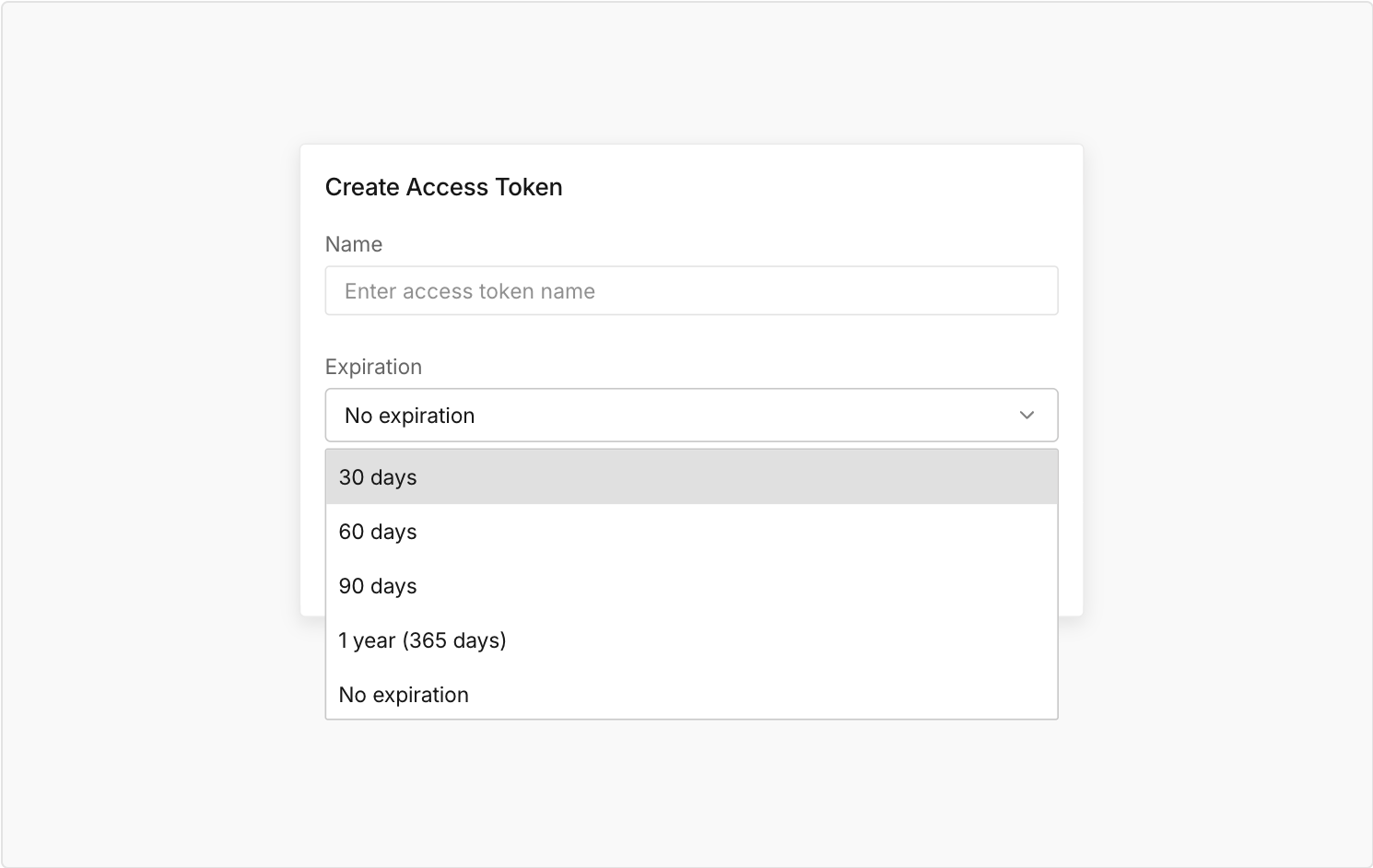
Reduce potential operational risk by setting expiration dates for global and project-scoped tokens. Set a token to expire in 30, 60, or 90 days, one year, or leave it without expiration.
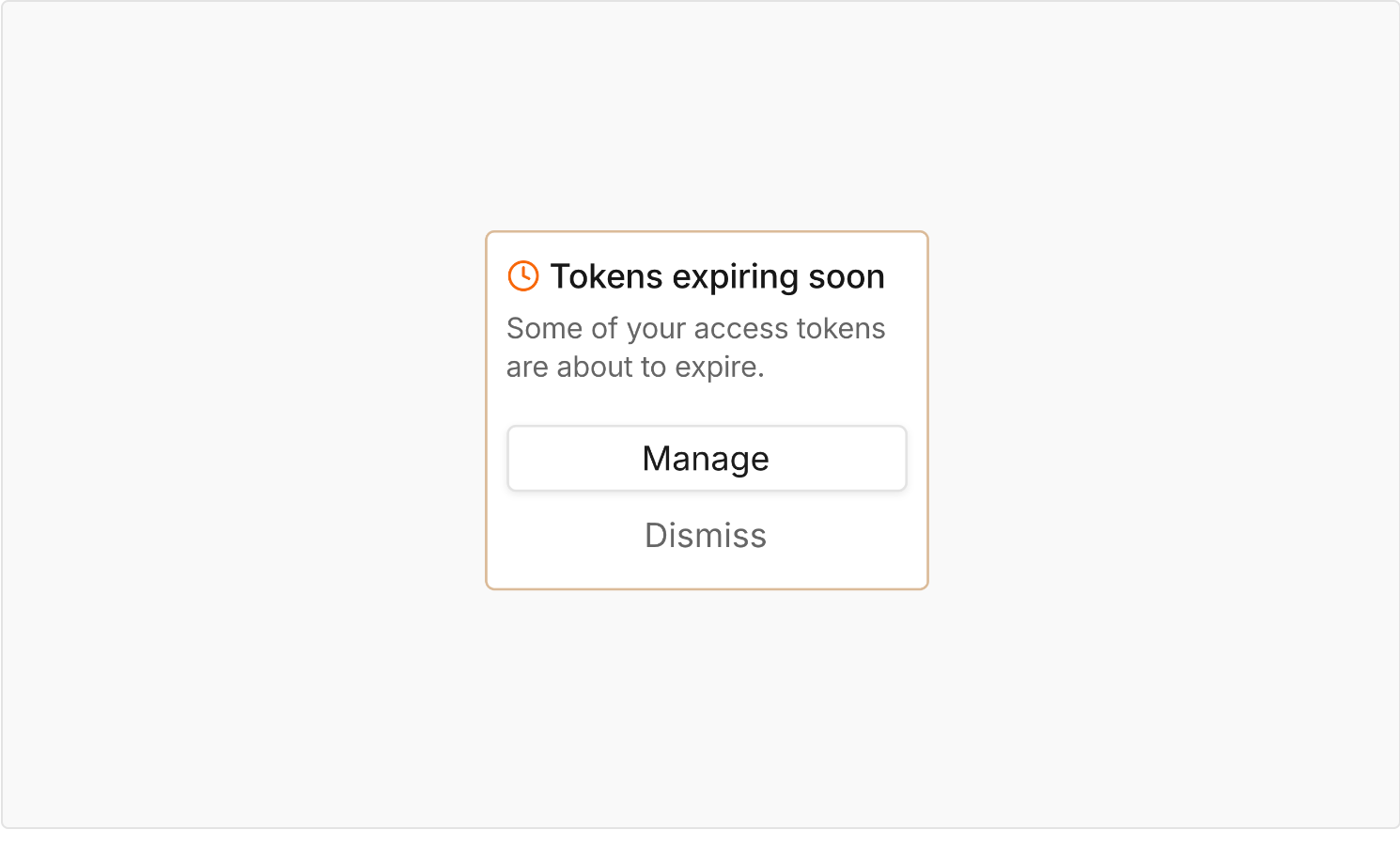
Before a token expires, organization admins and team members with the manage access tokens permission will receive email reminders 30, 7, and 1 day ahead. You will also get an in-product banner notification.
In the token list, expiring and expired tokens are also flagged, so you can scan credential state at a glance.
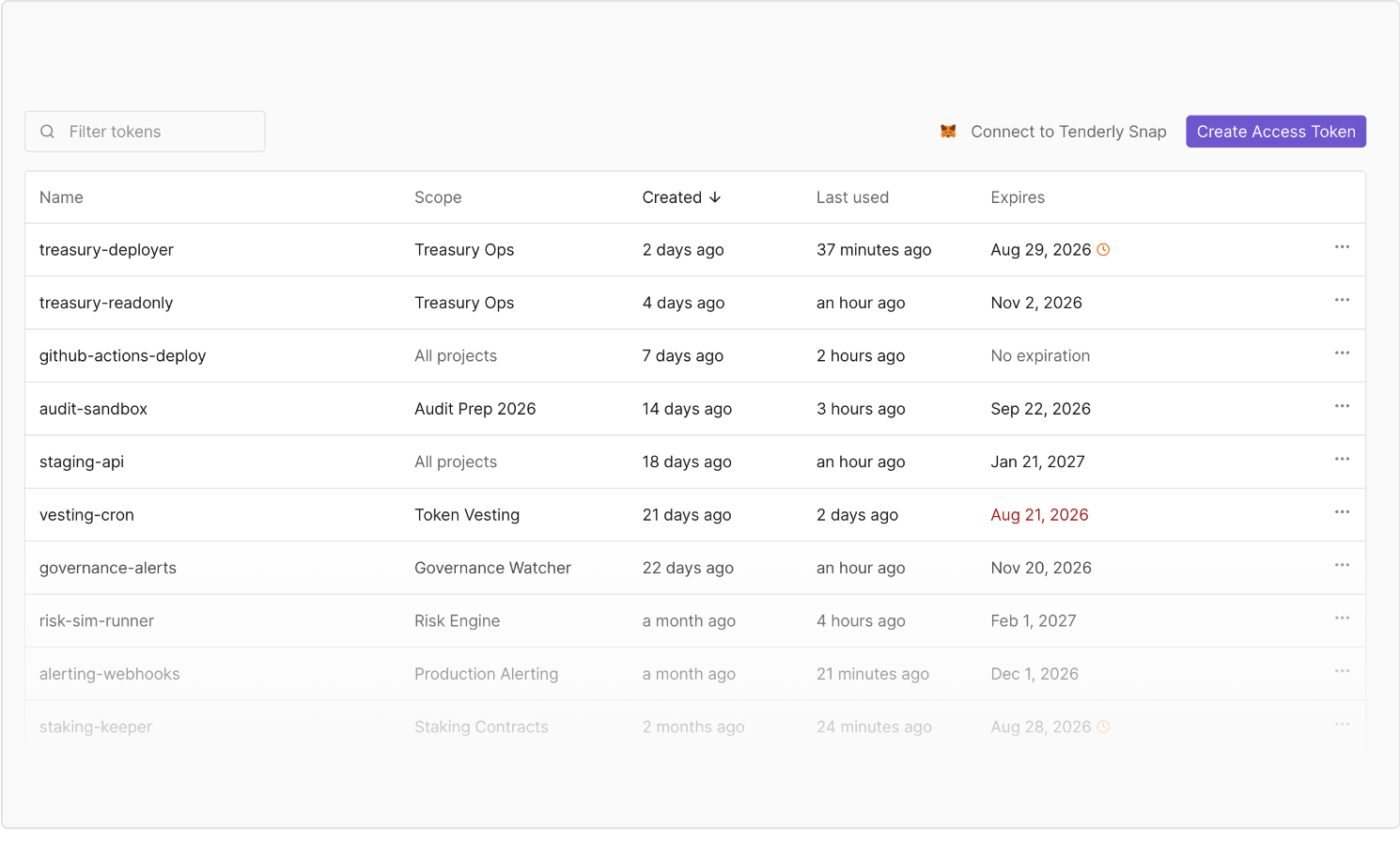
Once set upon creation, the expiration date cannot be changed. To modify it, create a new token and revoke the old one.
Get an access overview at a glance
Open the organization's project list to see each project's access at a glance.
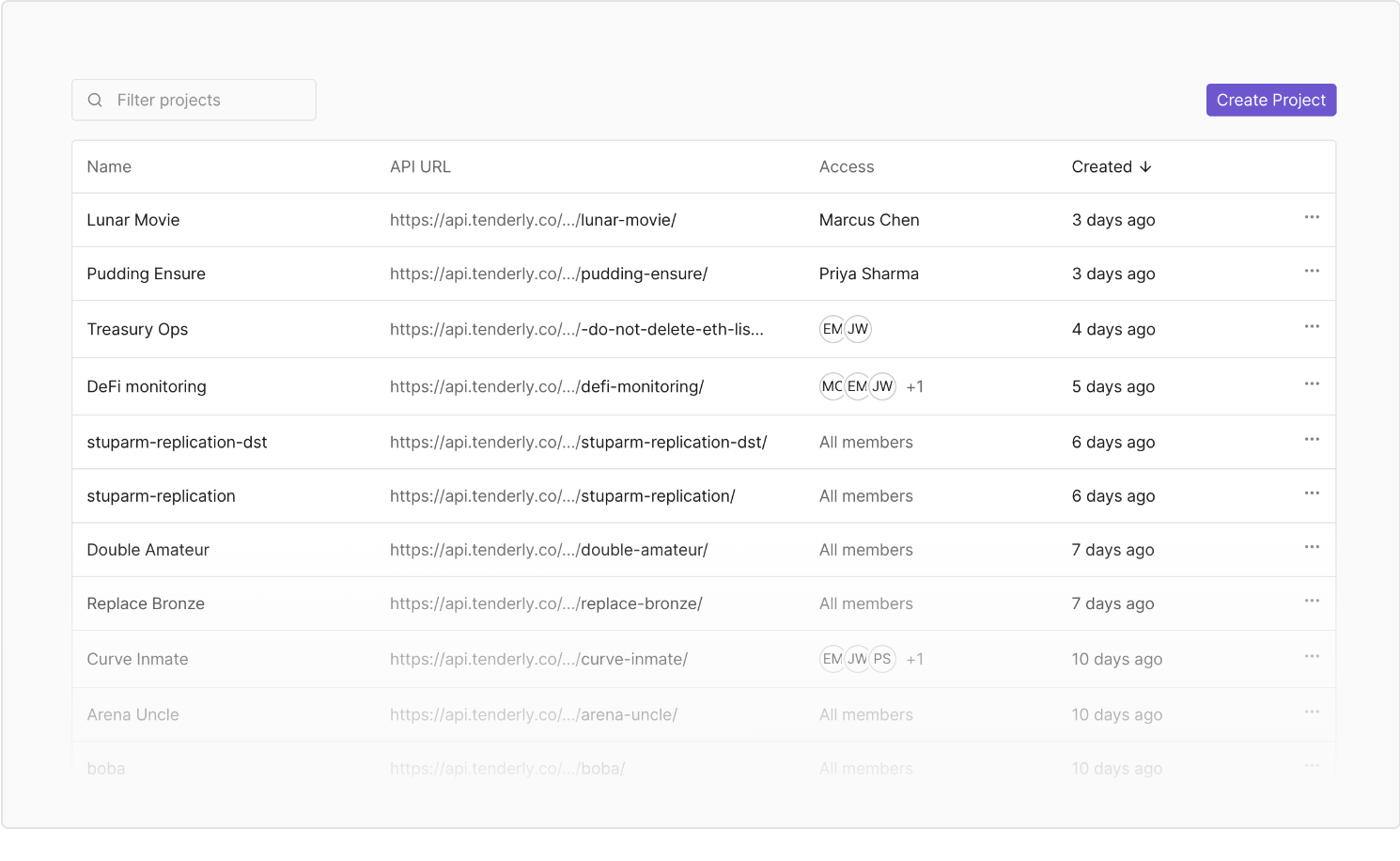
The organization-level list also shows every token with its scope, last use, and state.
Restricting access to existing projects
Nothing changes for the existing projects and access tokens in Tenderly by default. Your projects remain accessible to your organization until you configure the access. Every existing access token is a global token without expiration dates, so existing API workflows won’t be affected.
If you’d like to restrict a project, Tenderly will notify you how many global tokens will lose access to that project so you can create project-scoped tokens beforehand.
Control access to your projects
Maintain confidentiality in Tenderly with project-scoped access control. Ensure that only relevant individuals and tokens have access to specific projects by restricting access, scoping tokens, and adjusting expiration dates on credentials. Head over to Tenderly to adjust project access!