Analyze oracle health, update cadence, and price history in Oracle Module for Chainlink and Chronicle in Tenderly.
Open any price feed contract to see its risk tier, deviation threshold, and heartbeat during routine monitoring, ongoing incident management, or due diligence checks. Follow every oracle round and signer response, compare standard and SVR feed answers, and act on what you find without leaving the page.
See feed parameters at a glance
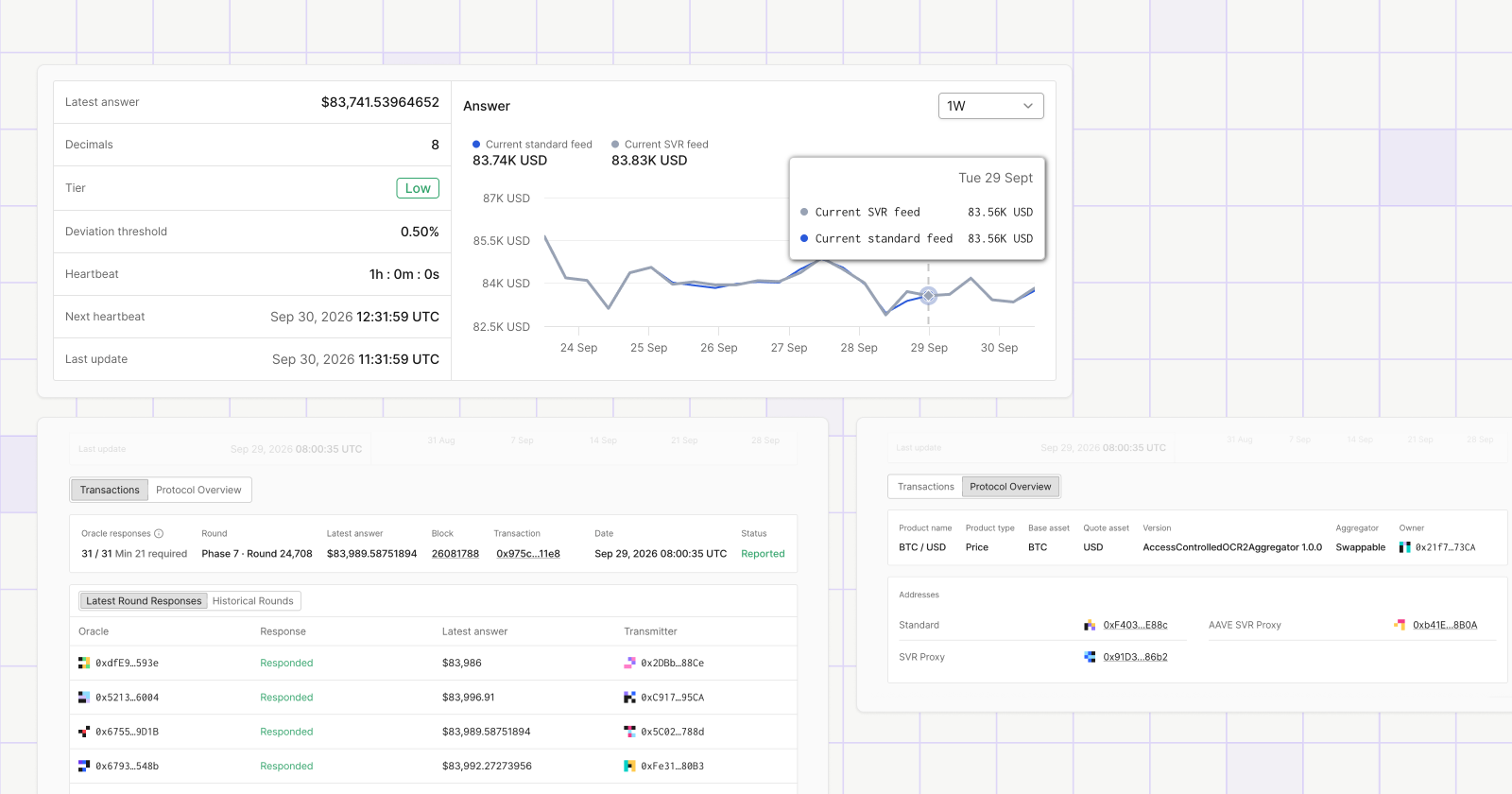
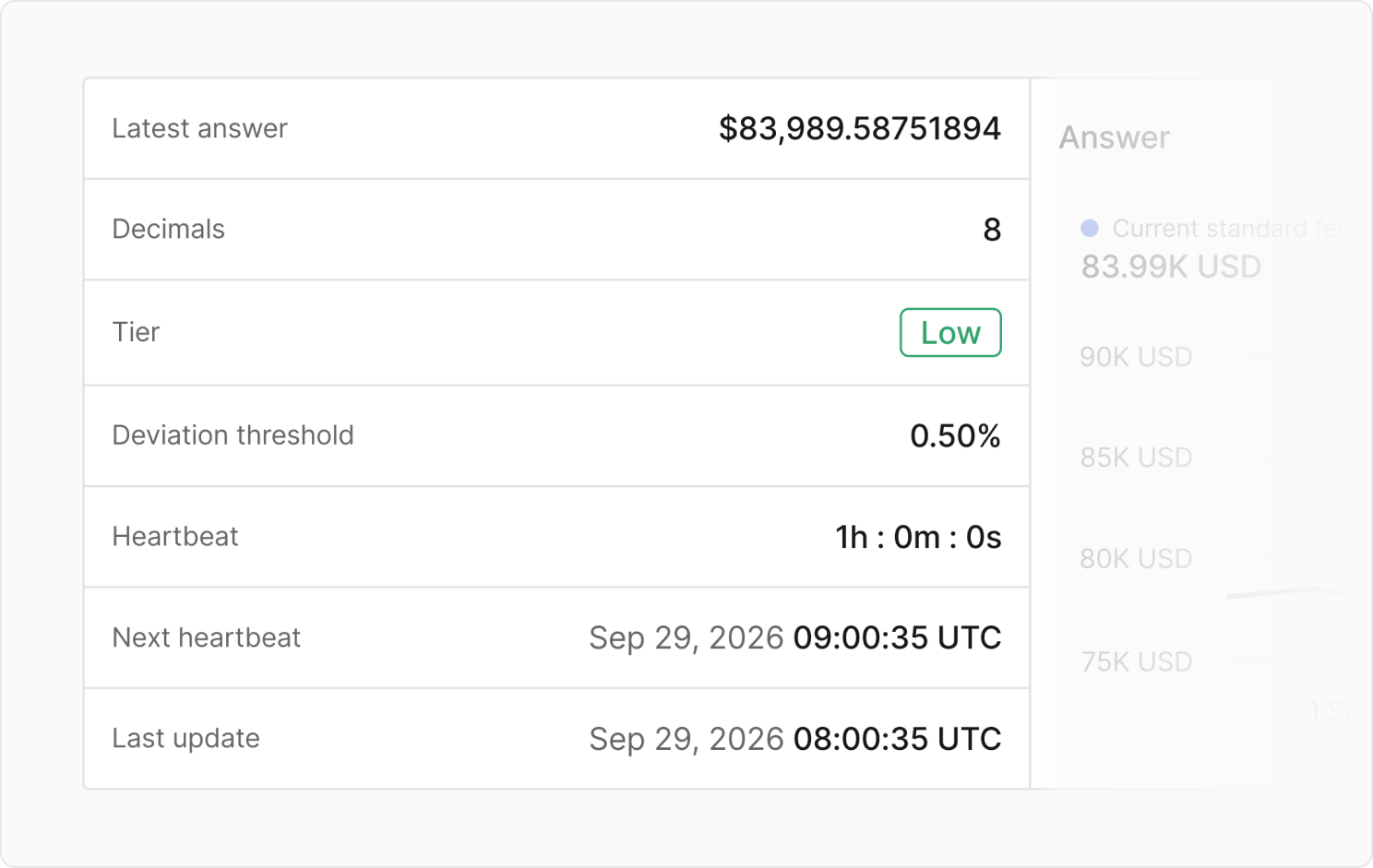
Open a feed contract to see its latest answer, decimals, and market risk tier, together with the two parameters that decide when it updates: the deviation threshold and the heartbeat. See whether the feed is regularly updated by checking the next heartbeat and last update timestamps.
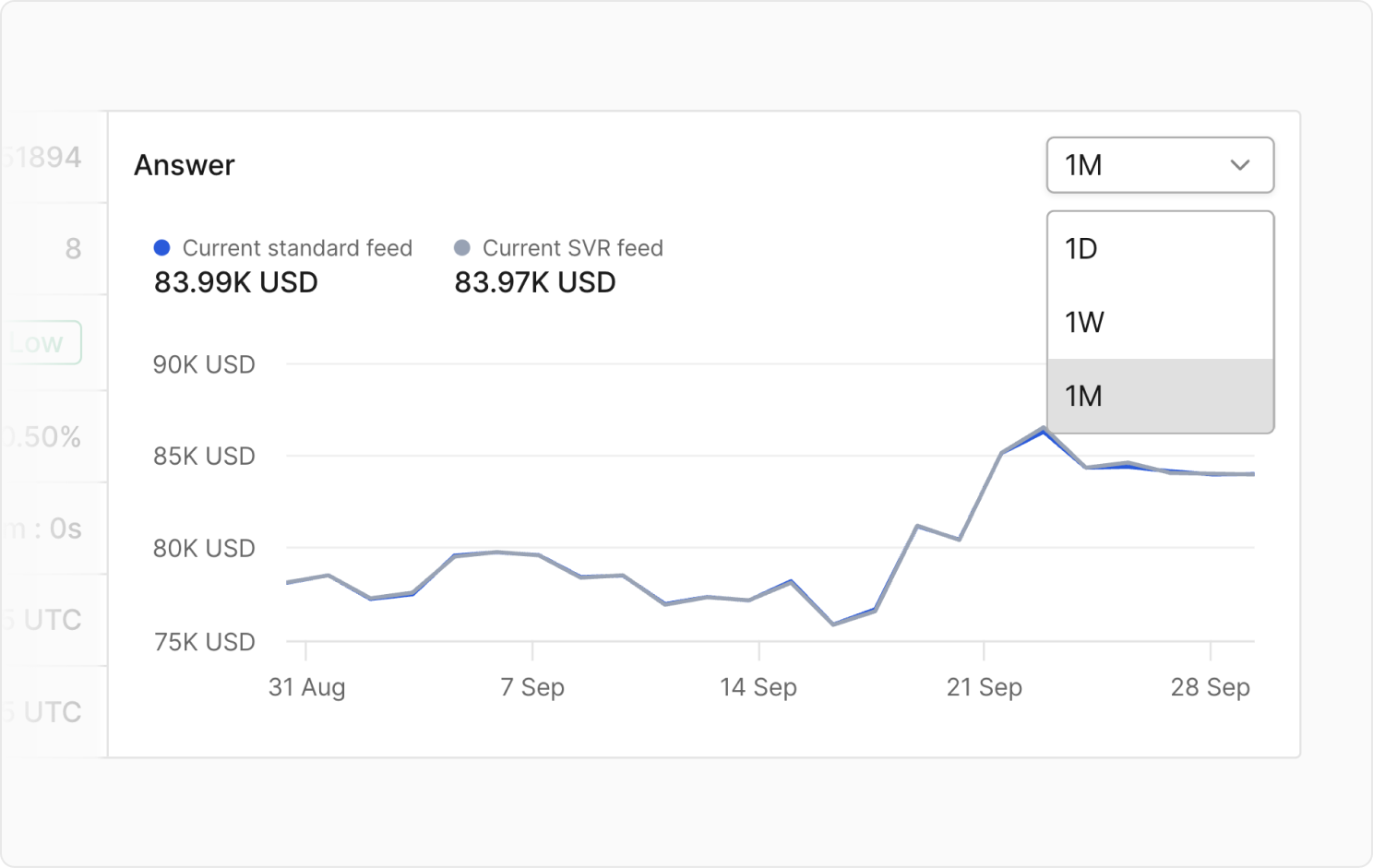
Examine the reported prices over a specific time range in the Answer chart, spotting stale periods or sudden spikes in one view.
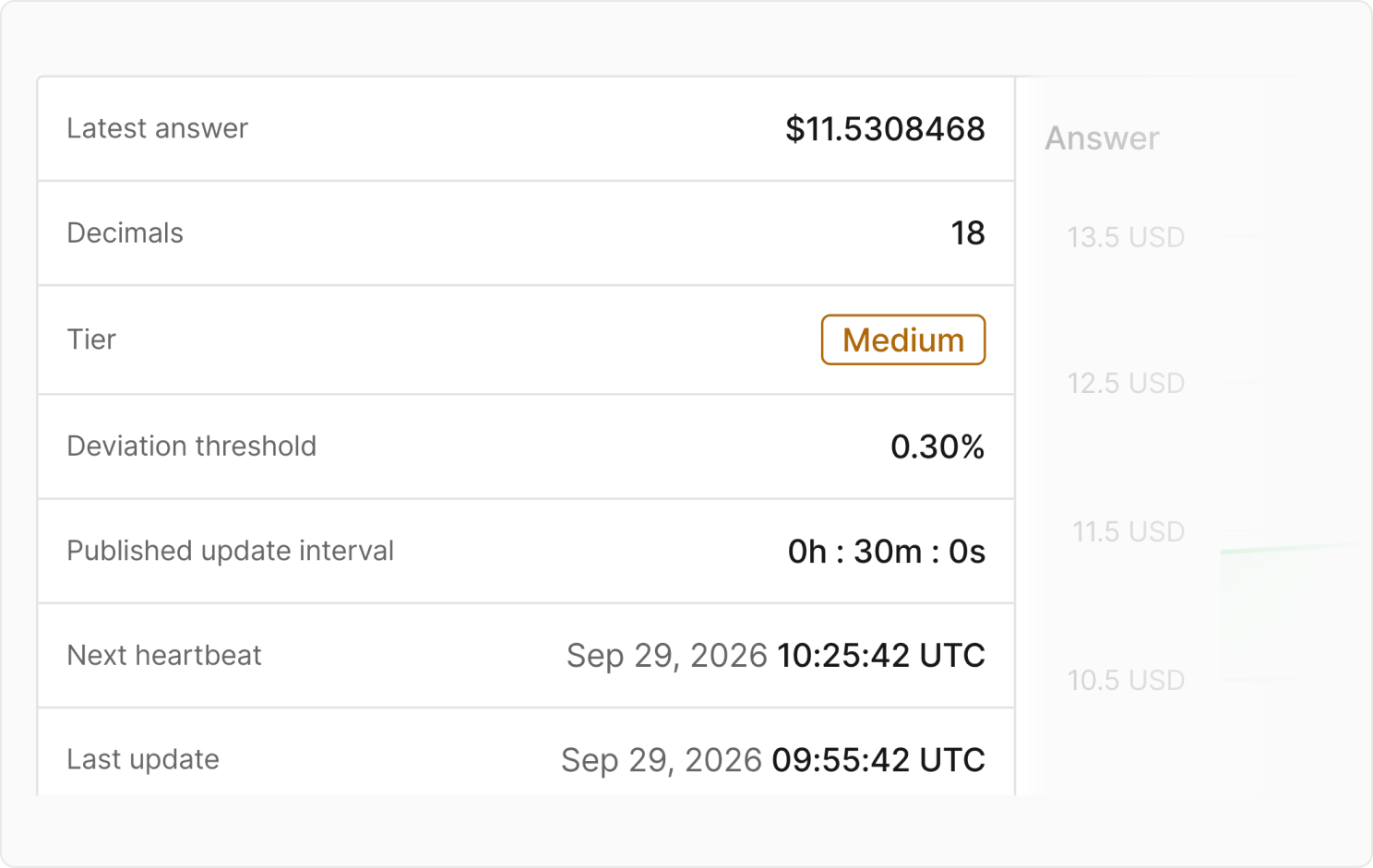
For Chronicle’s Scribe-based feeds, see the overview of the published update interval alongside the deviation threshold and risk tier.
Compare standard and SVR feeds side by side
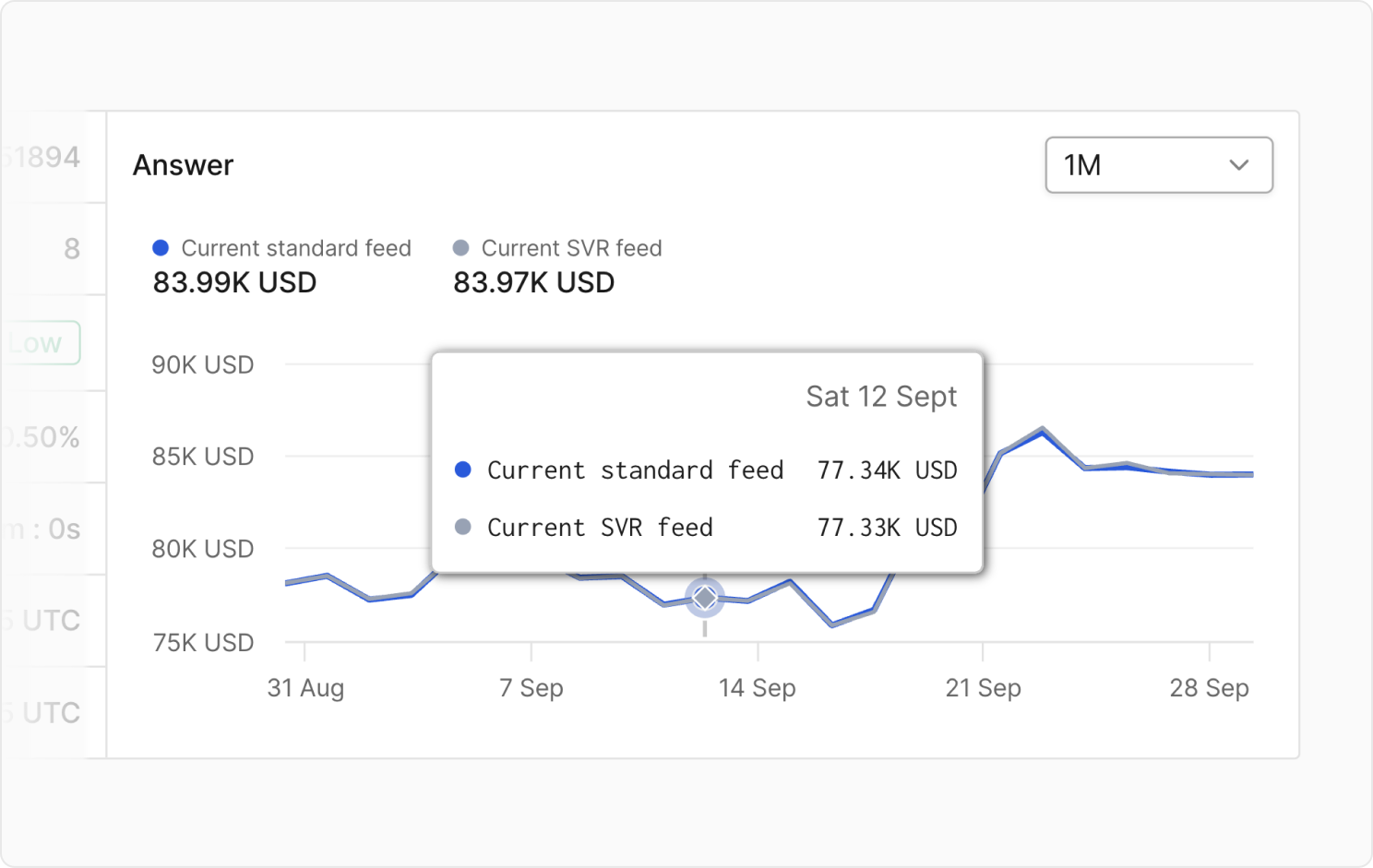
Evaluate SVR feeds, which recapture oracle-related MEV from liquidations, by checking the current standard feed against the current SVR feed in the Answer chart. Hover over any point to compare both answers at that moment and confirm the SVR variant is tracking the standard feed as expected.
Follow every oracle round
Catch potentially stale oracle prices by examining how many oracles responded against the minimum required for both Chronicle and Chainlink price feeds. See information such as the phase and round ID, the related block and transaction, its status, and the latest answer.
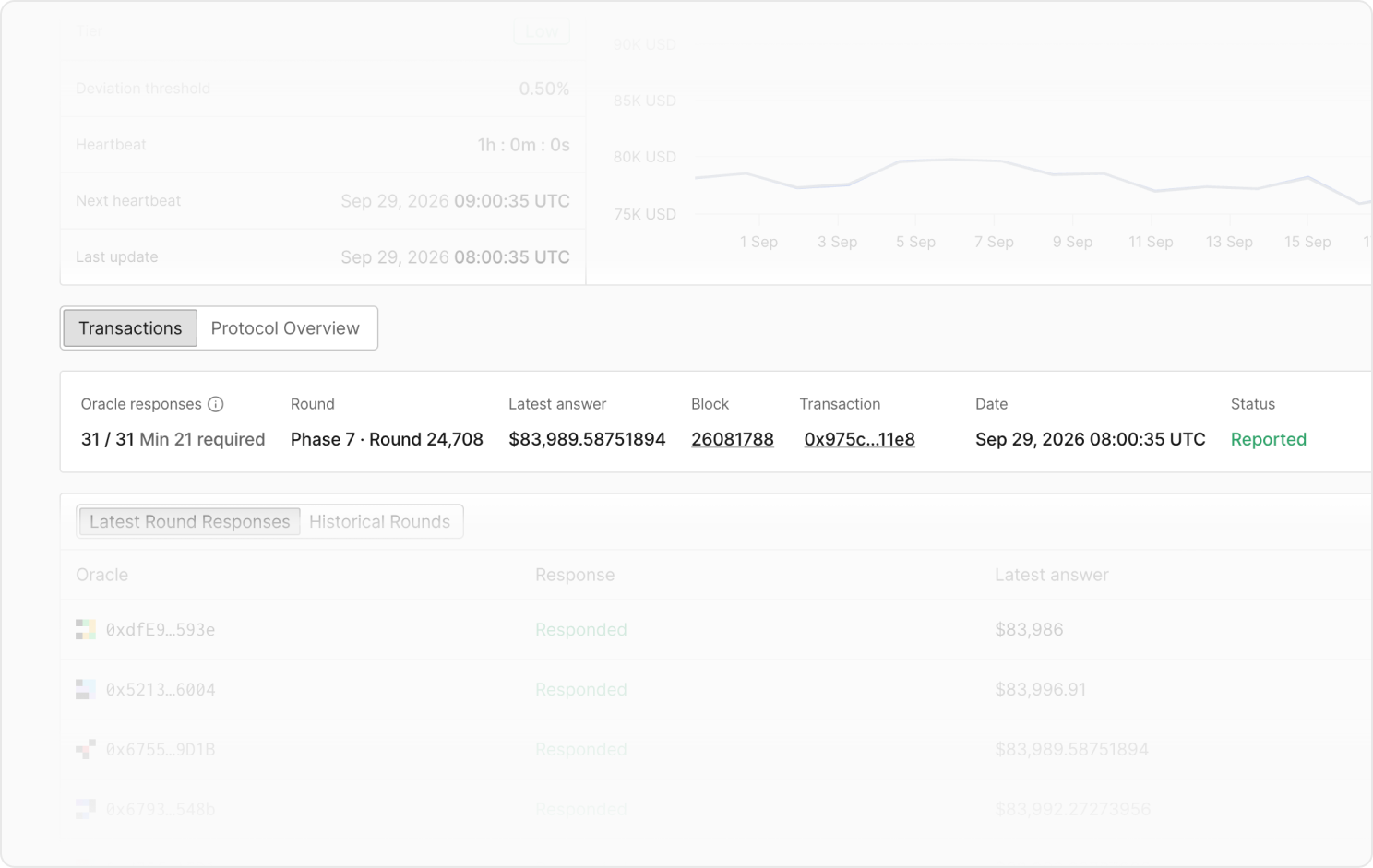
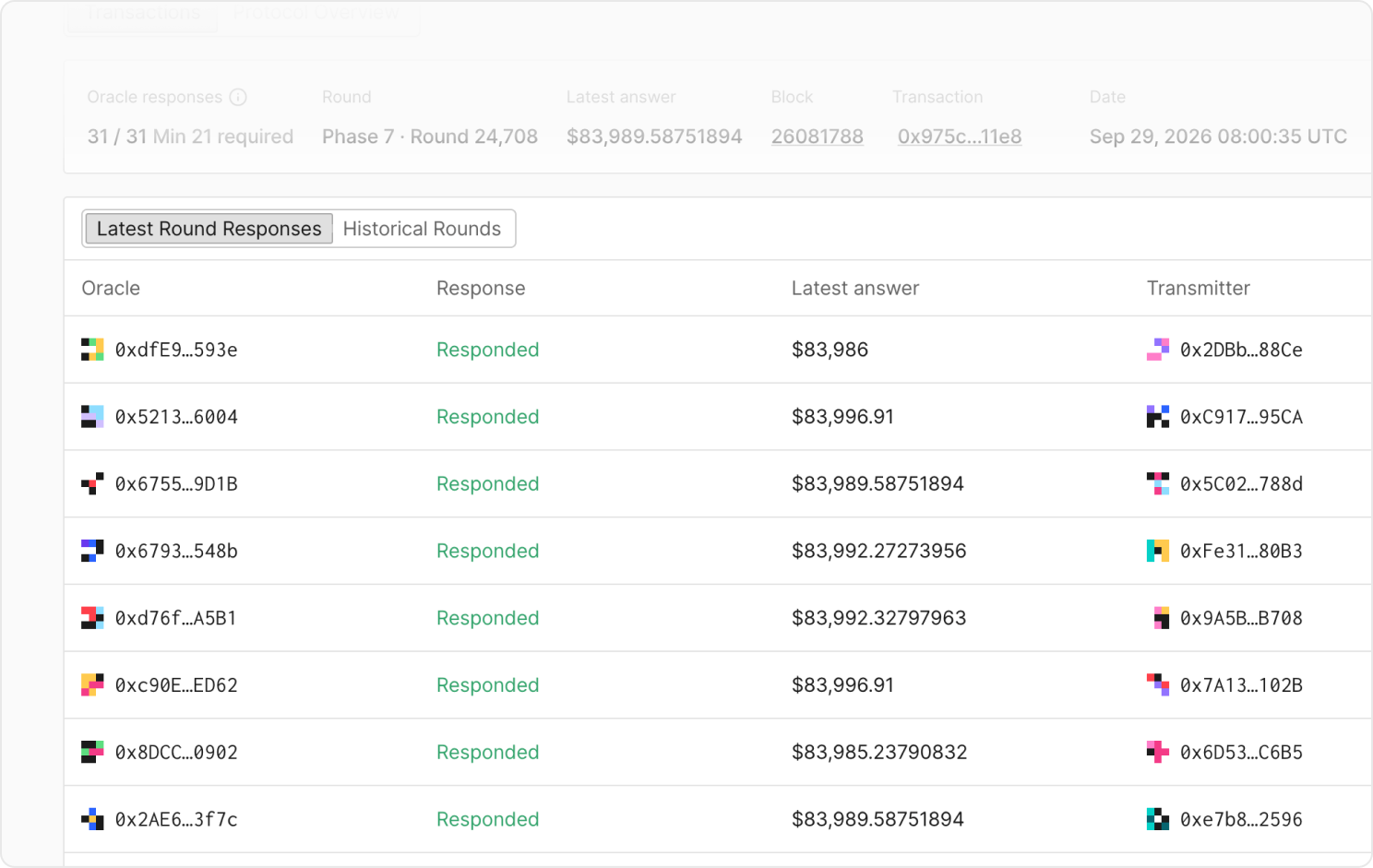
Examine each oracle in the set with its individual response and the transmitter that submitted it to catch an outlier or a silent node in the Latest Round Responses tab.
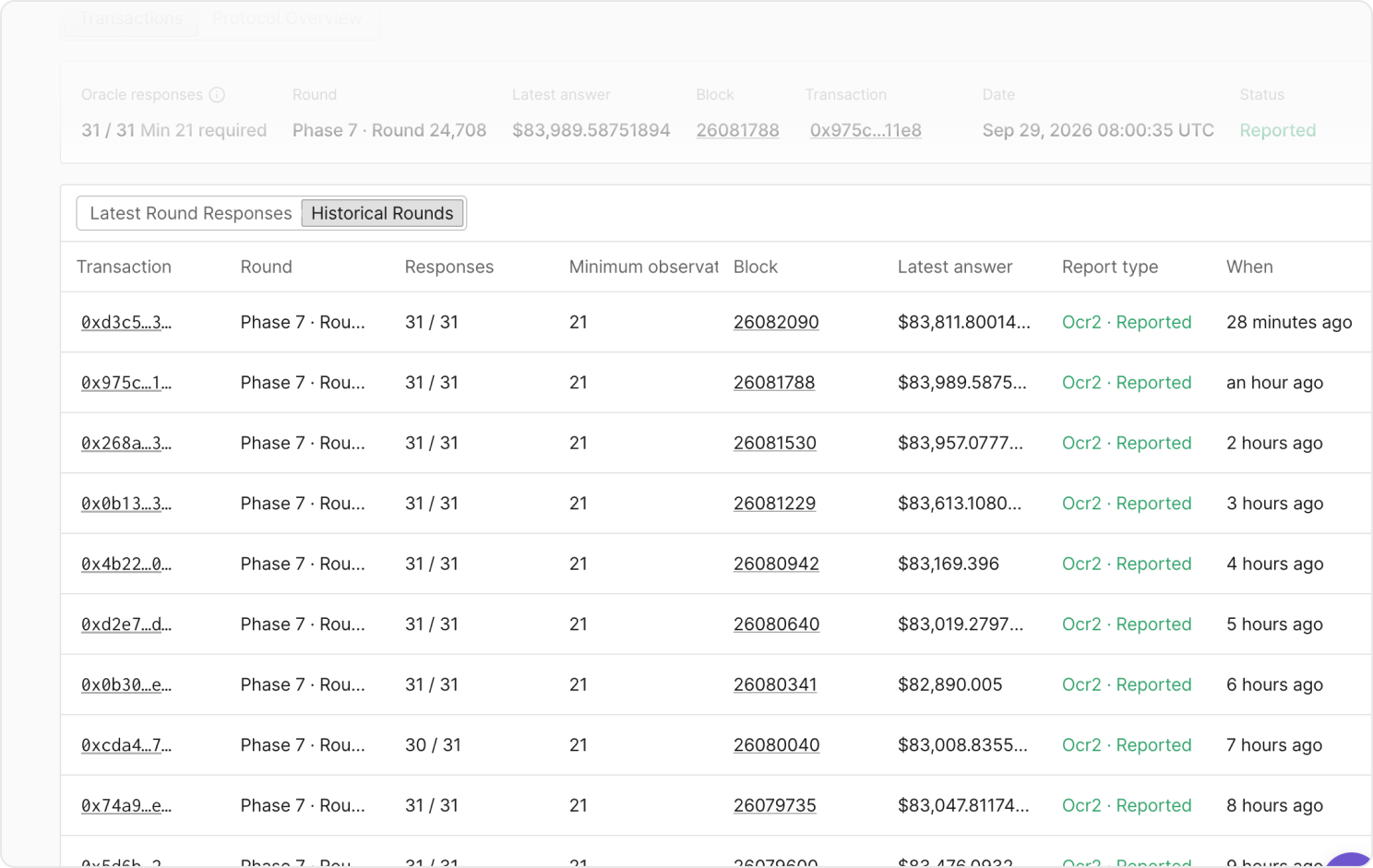
Switch to Historical Rounds to walk back through previous reports with their response counts, report type, and timing, and open any transaction to inspect the update itself.
For Optimistic Scribe feeds, the status shows when an update has cleared its challenge period and is finalized, so you know the price your contracts read is no longer disputable.
Understand the contract behind the feed
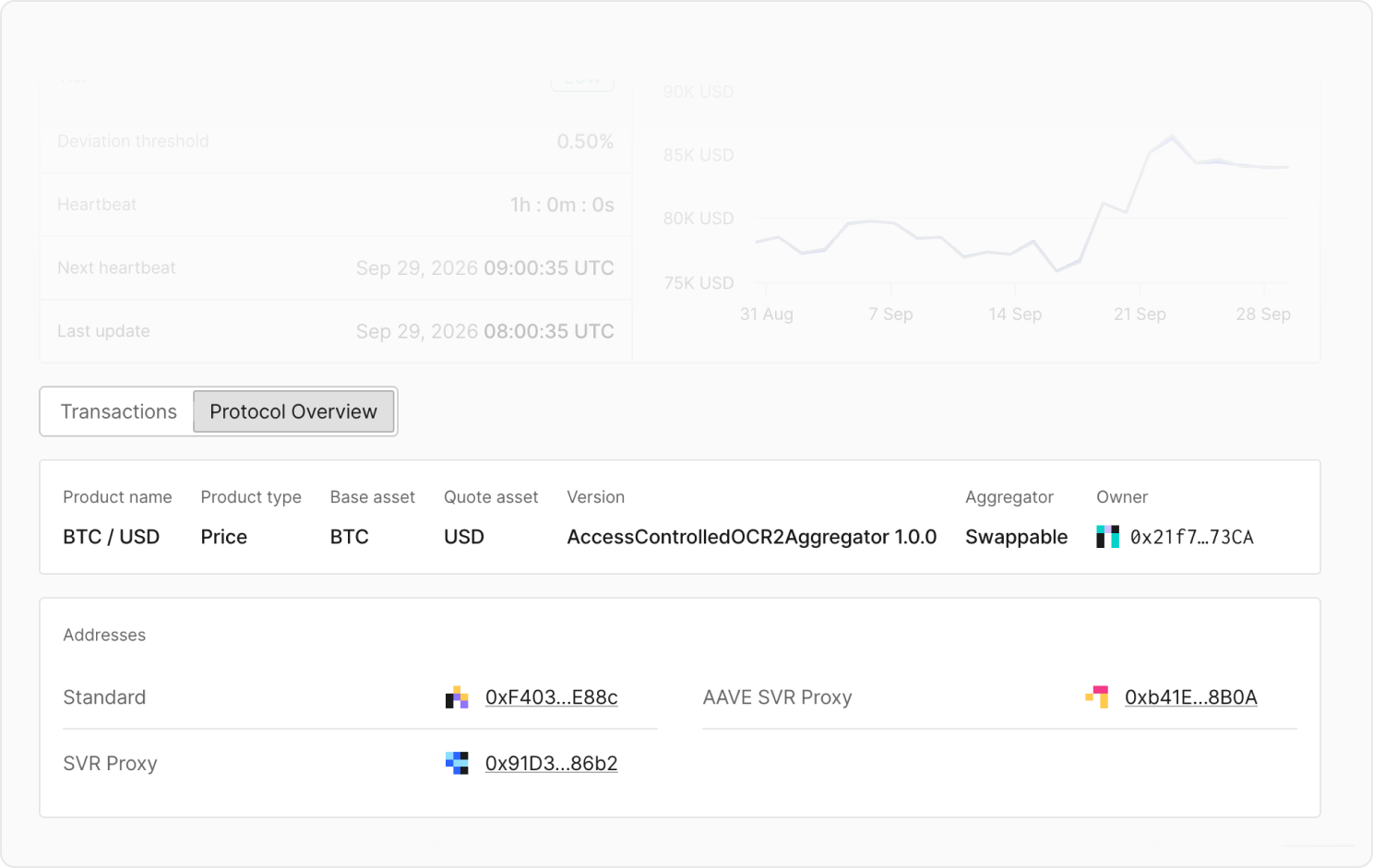
Analyze Chainlink and Chronicle price feed contracts with decoded insights in the Protocol Overview tab.
For Chainlink, see the product and its base and quote assets, the aggregator version, whether the aggregator is swappable behind its proxy, and the owner address.
For Chronicle, see the Scribe variant and version, the Scribe address, and who monitors the feed.
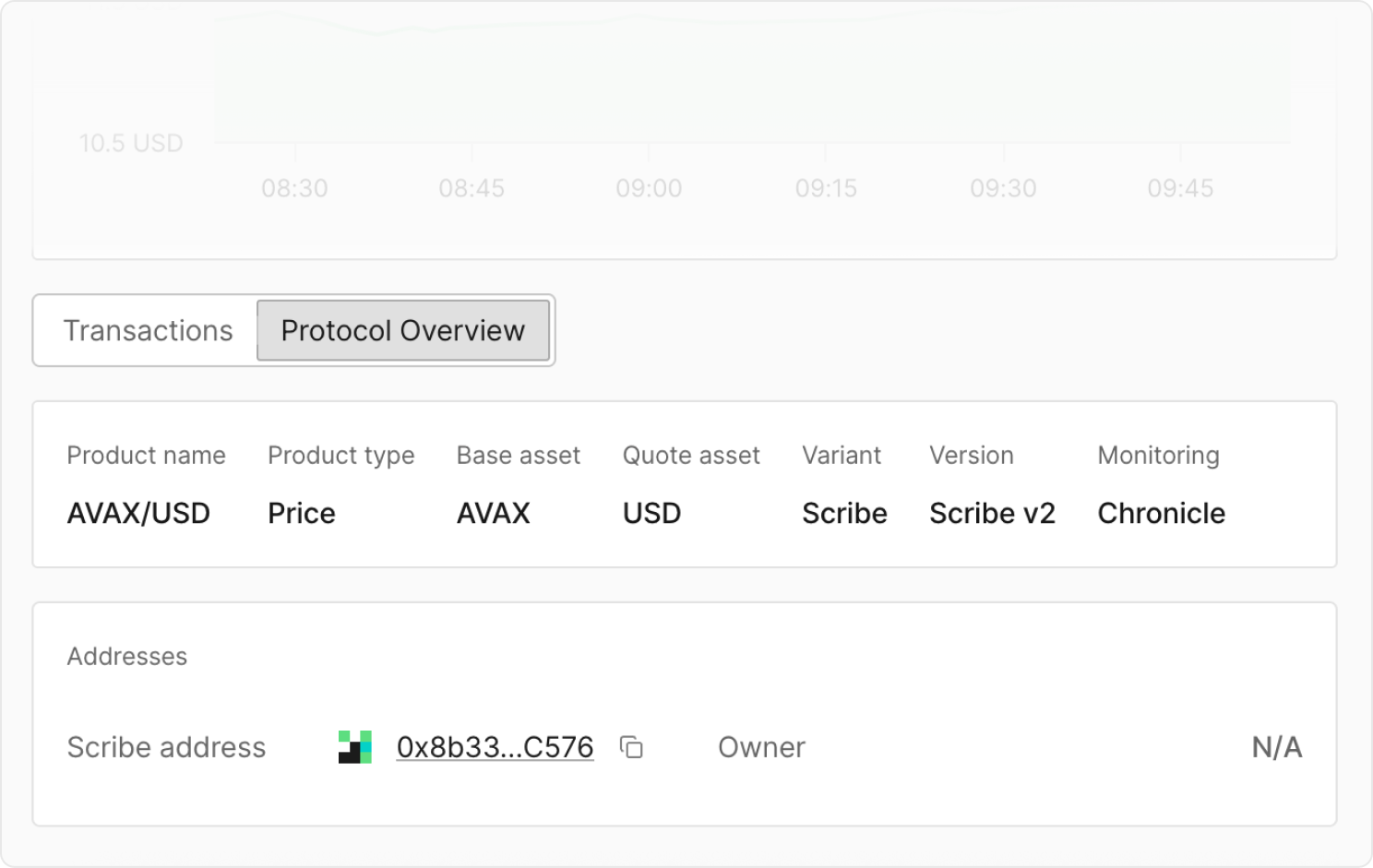
Continue analyzing the contract within context by jumping from a feed to the owner or aggregator contract in just a click.
Act directly from the page
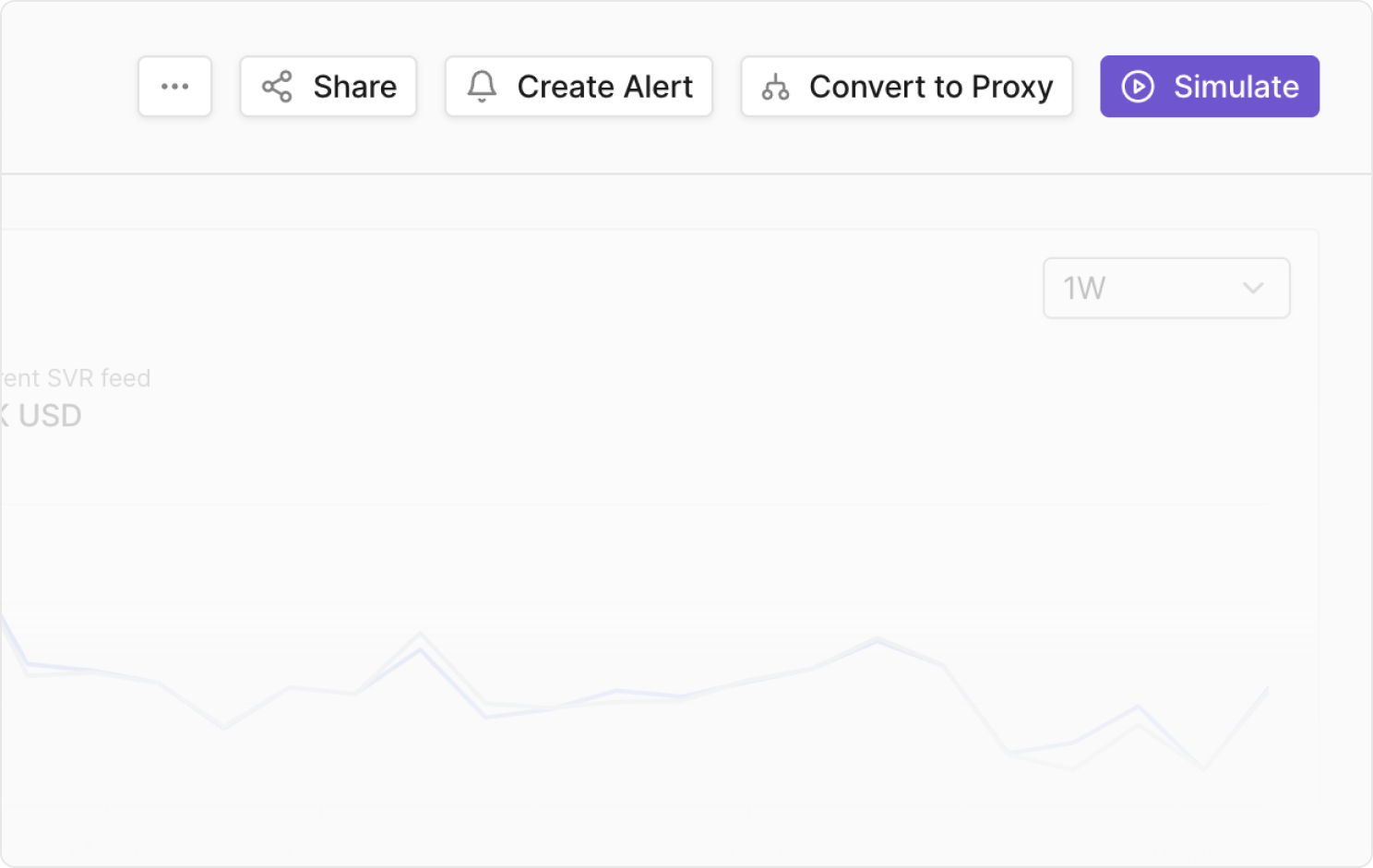
Once you gather information on a specific price feed, take the next step without leaving the context. Create an alert to monitor the feed's updates, simulate a transaction against the feed's current answer, or convert the contract to a proxy.
Inspect the feeds you depend on
Whether you're checking a feed's health during routine monitoring, reconstructing what it reported during an incident, or vetting it before an integration, gather the most recent information to understand and evaluate potential dependencies. Search a feed's contract address to open its page, read its parameters and rounds, and act on what you find.
Reach any feed page by searching its contract address or reach out to the Tenderly team to explore how to model the changes before they affect your positions.